 Aurea
All features
Everything Aurea can do, shown in the real app.
Detection
Four detectors watch the zones you draw. Mix them freely in one profile and see each zone's state as it runs.
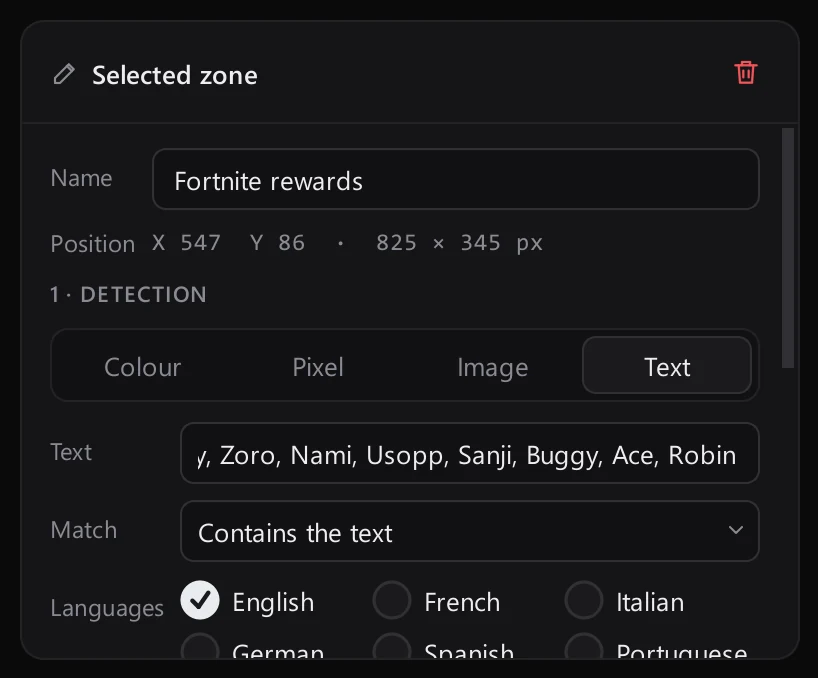
- Colour zones with tolerance and minimum area
- Pixel watch
- Image match
- OCR with several keywords
- 8 OCR languages
- Smart scan intervals
Screen preview
A capture of the chosen screen with every zone drawn on top.
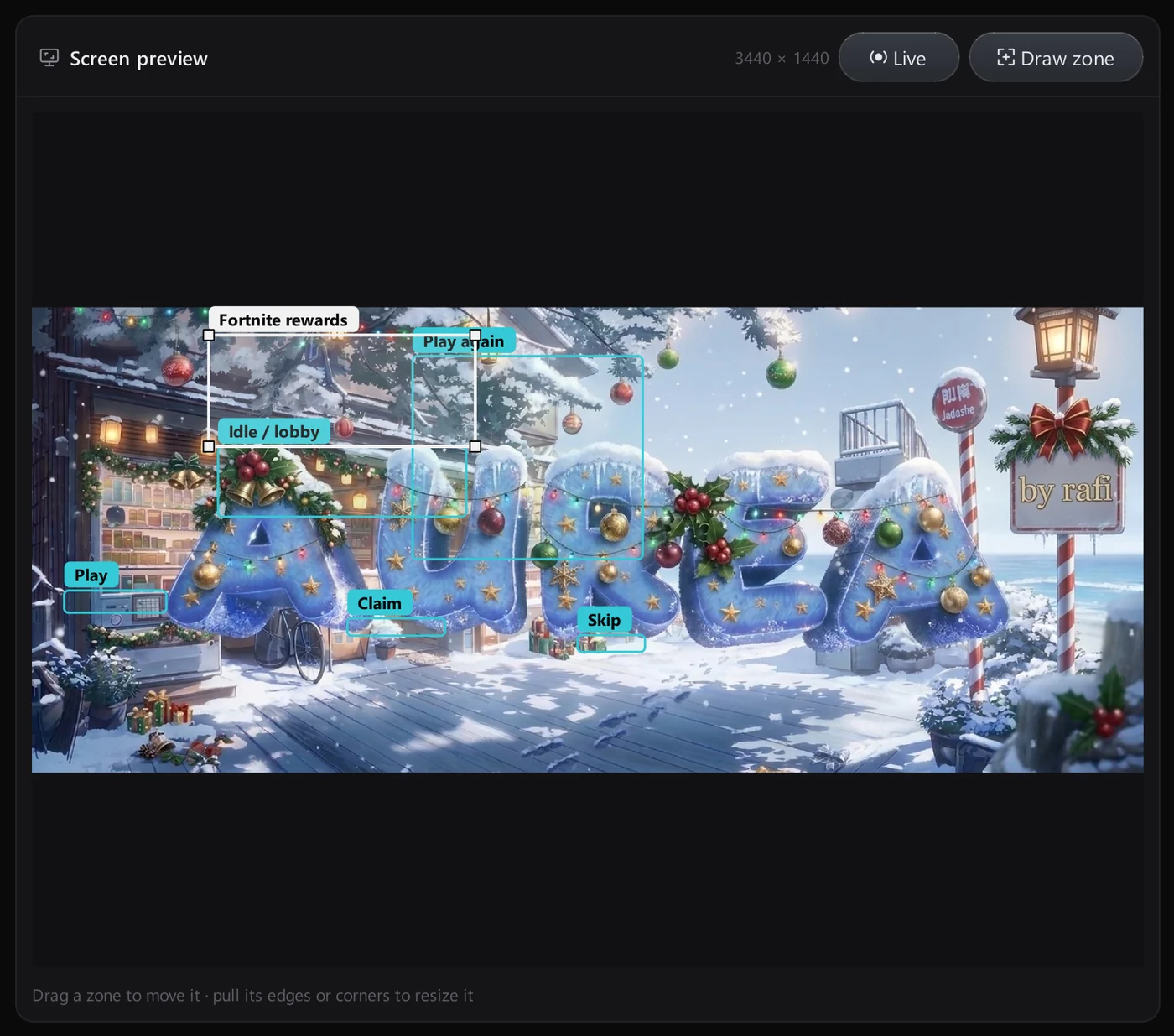
- Live mode
- Draw zone
- Move and resize by dragging
- Zone names on the picture
Reactions
Each zone has its own reaction, from a single click to stopping everything.
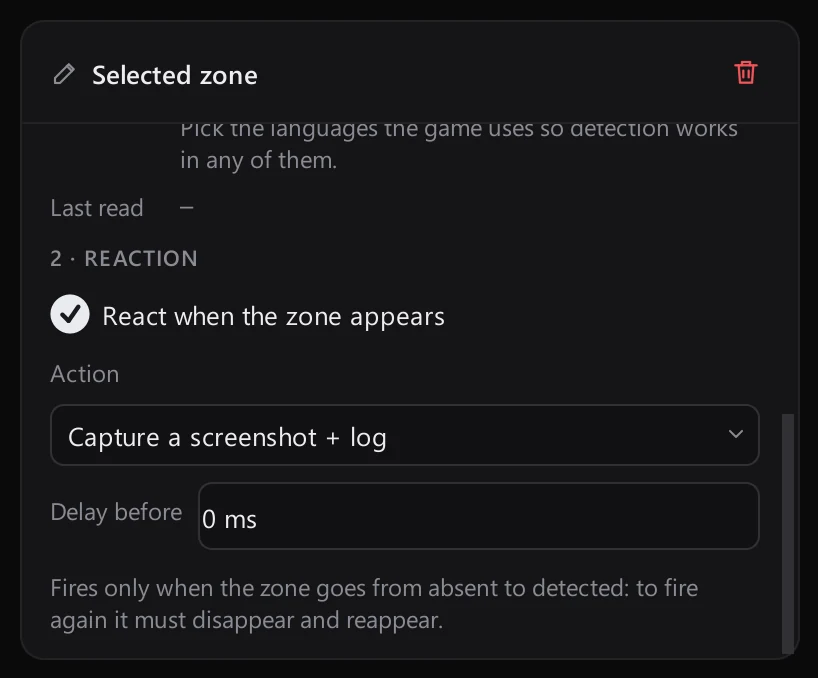
- Click the zone centre
- Click the found element
- Press a key
- Screenshot + log
- Screenshot + stop everything
- Delay before reacting
Macros
An ordered list of actions with a toolbar to edit, copy and reorder them.
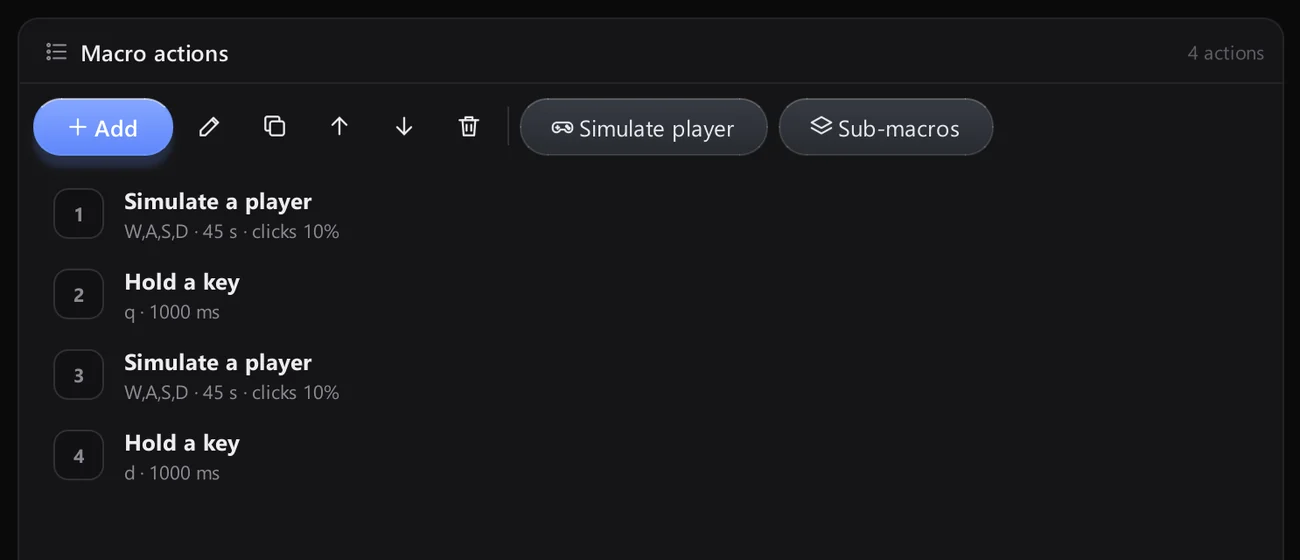
- Simulate a player
- Click, double click, move, scroll
- Press or hold a key
- Wait
- Sub-macros
Visual scenarios
A node editor for branching logic, with a block library and a properties panel.
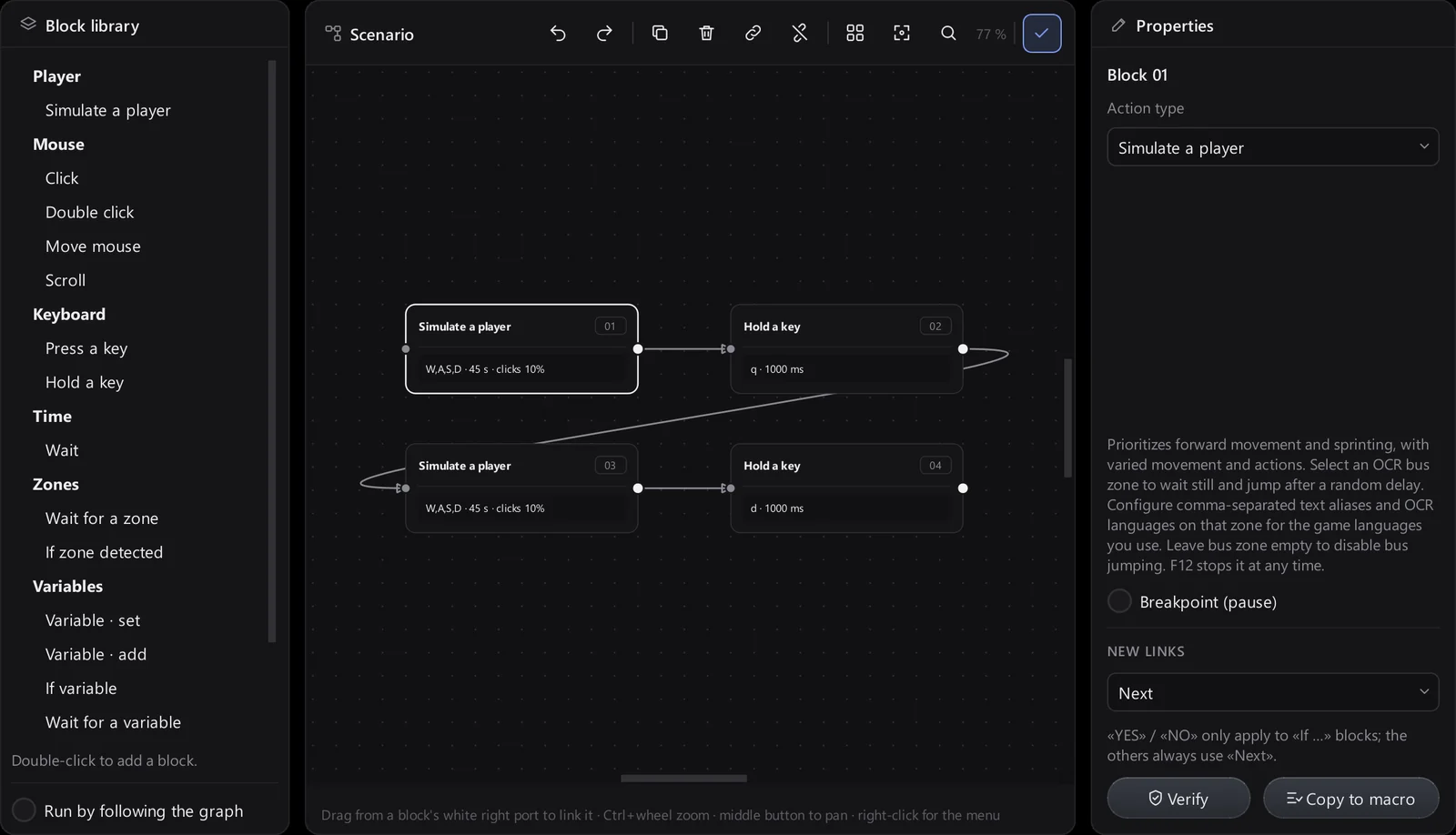
- Zone triggers and conditions
- Variables
- Verify the graph
- Copy to macro
Detection log
A tidy history of every capture, with preview and quick actions.
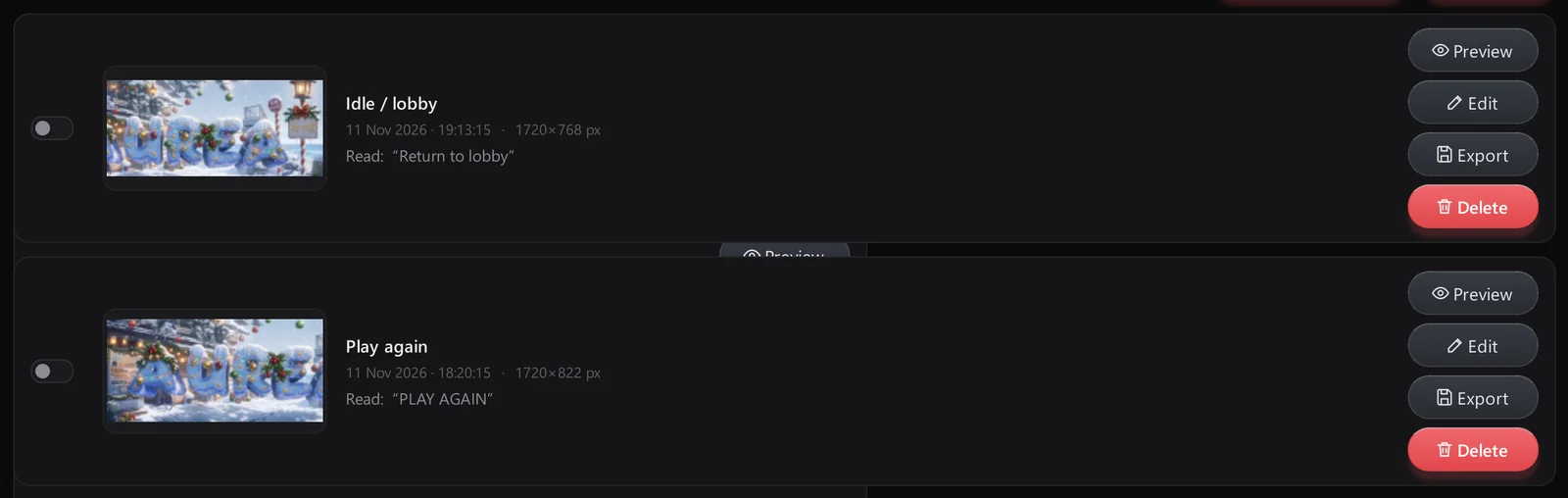
- Thumbnail, zone, time, size, text
- Preview with Fit / actual size
- Export a copy
- Delete one, selected or all
- Open the captures folder
Image editor
Mark up any capture without leaving Aurea.
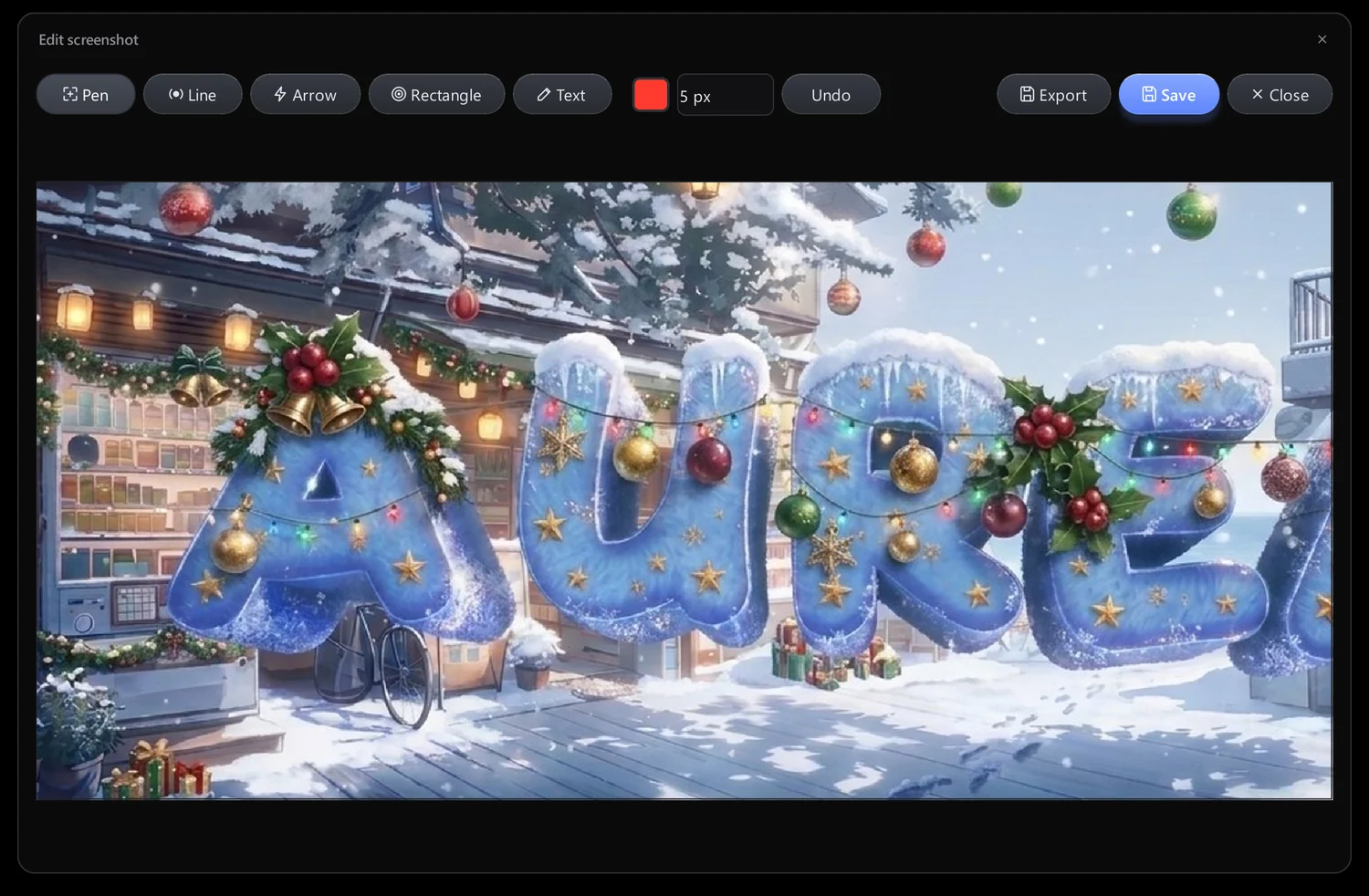
- Pen, line, arrow, rectangle, text
- Colour and thickness
- Undo
- Save or export
Watchers
Ready-made zones you can add in one click.
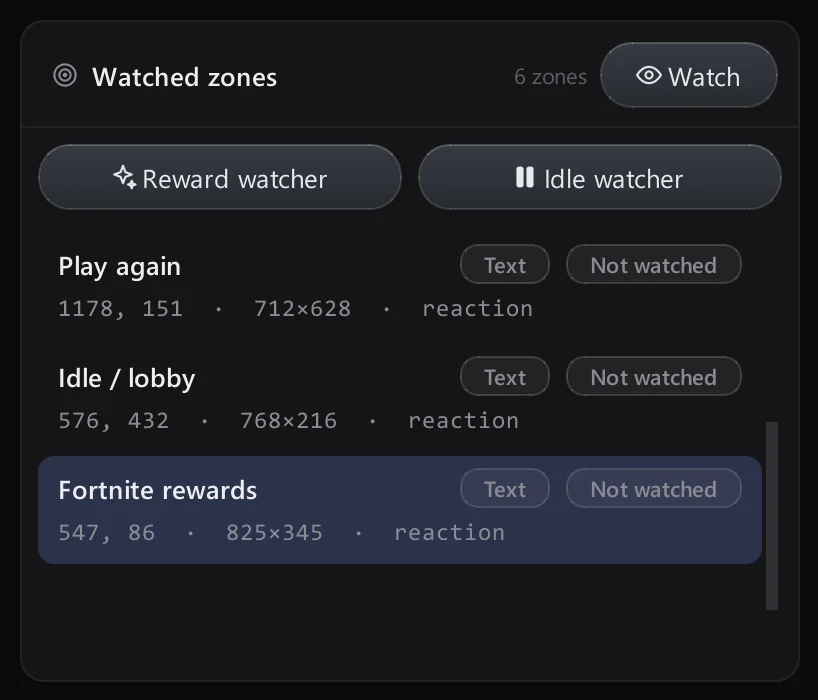
- Reward watcher (screenshot + log)
- Idle watcher (screenshot + stop)
Safety
Stopping is always faster than starting.

- F12 emergency stop
- Mouse in the top-left corner
- Game lock
- Kill-switch reaction
- Local bug reports
Adjust to your needs
Everything lives on one settings page, grouped so you can find it fast.
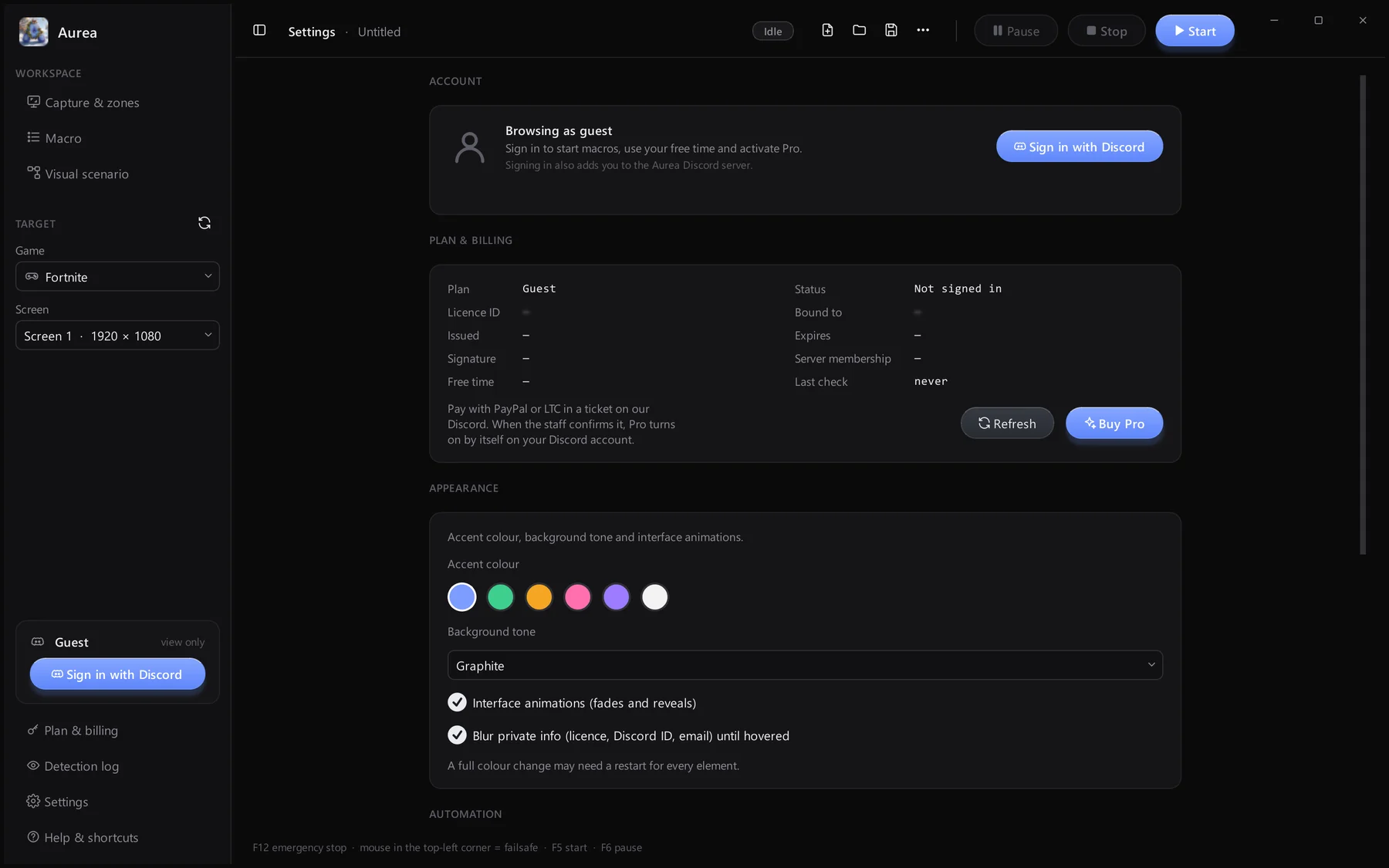
Sign in with Discord; details blurred until hovered.
Plan, licence, free time and Buy Pro.
Accent colour, background tone and animations.
Failsafes, game lock and simulation options.