 Aurea
Choose your setup
Both plans include the full Windows app.
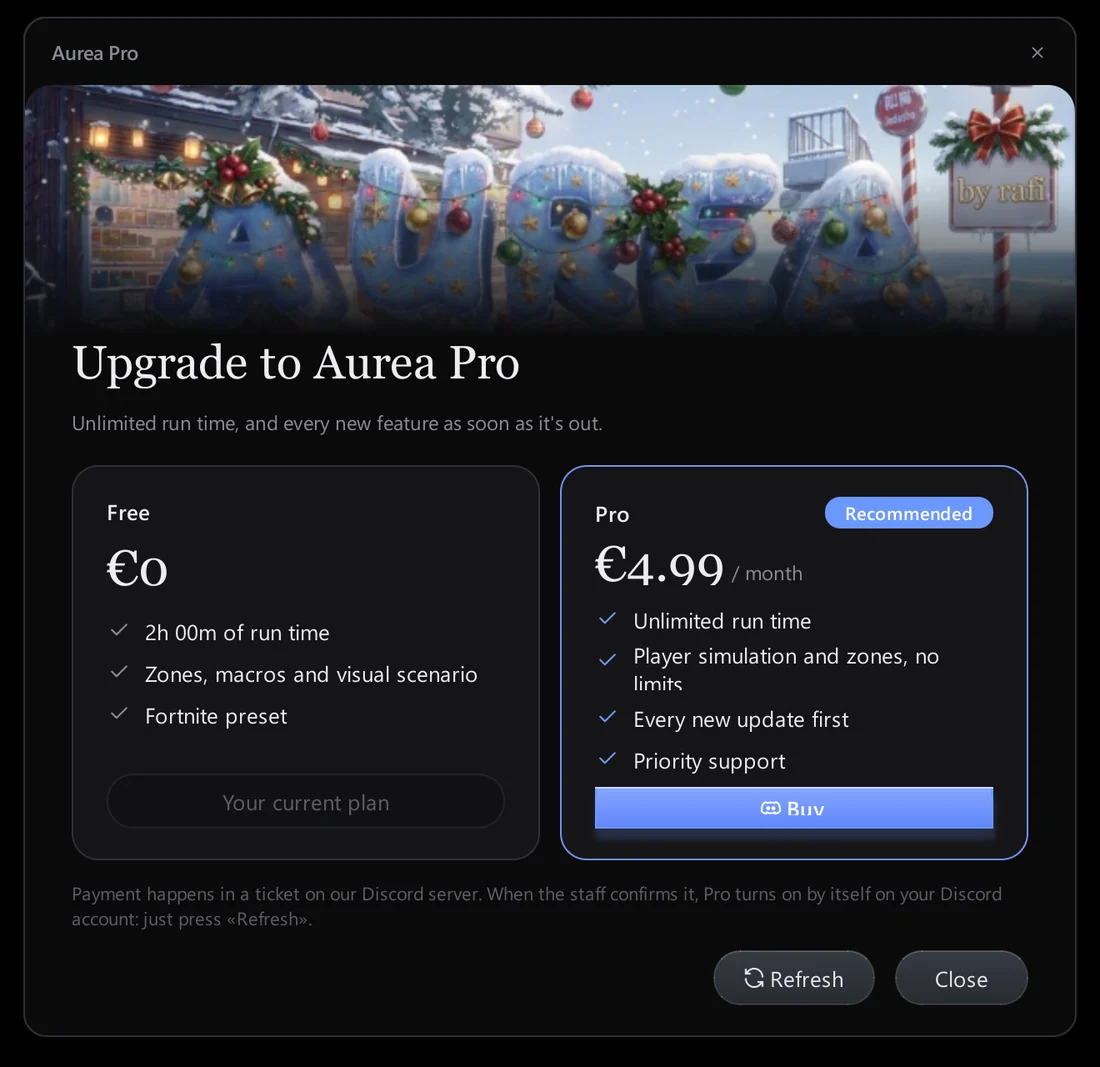
Pro removes the time limit and follows your Discord account.
Aurea Free
€0
2 hours of automation, no card.
Windows app
All detectors and reactions
Macros and scenarios
Detection log and editor
2 hours of automation time
Aurea Pro Lifetime
€4.99
lifetime
Windows app
Always up to date
Unlimited automation time
Licence on your Discord account
Works on any PC you sign in on
Already have Aurea? Activate Pro
Prices in EUR. Aurea requires Windows 10 or 11.
Pro is activated from inside the app through the Aurea Discord server.
2 hours free, no card needed
Try every feature before you decide. Your setup stays when you upgrade.
Upgrade from inside the app
Open Plan & billing, press Buy and finish in the Aurea Discord server. Back in Aurea, press Refresh and Pro is on.
Windows app
Colour, pixel, image and OCR zones
8 OCR languages
Macros and visual scenarios
Detection log and image editor
Reward and idle watchers
Automation time
2 hours
Unlimited
Safety
F12 and corner failsafe
Game lock
Kill-switch reaction
Account
Discord sign-in
Automatic updates
Licence follows your account
—
FAQ
How do I get Aurea Pro?
In Aurea, open Plan & billing and press Buy. You land in the Aurea Discord server, where your licence is issued to your account. Back in Aurea, press Refresh.
What happens when my free 2 hours run out?
Automation pauses and Aurea shows the Pro plan. Your zones, macros, scenarios and logs stay exactly where they are.
Is the licence tied to my PC?
No. It is tied to your Discord account, so it follows you to any computer you sign in on.
Why is my email asked for?
Only to recognise you if you need help. The licence itself is linked to your Discord account.
What are the system requirements?
Windows 10 or 11. Download Aurea-Setup.exe, choose a folder (default
%LOCALAPPDATA%\Programs\Aurea) and press Install. Updates are automatic.How do I stop a macro in a hurry?
Press
F12, or move the mouse into the top-left corner of the screen. Both stop everything immediately.